

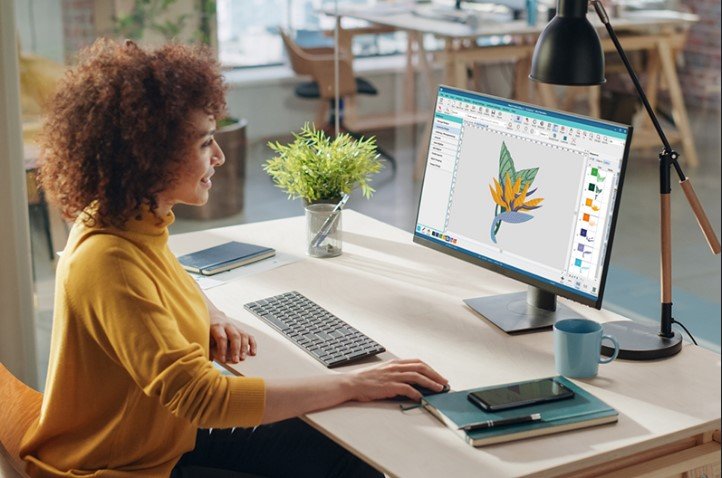
A great embroidered logo can make any shirt, cap, jacket, or bag look more professional. It helps businesses build a strong brand and gives custom products a high-quality finish. But before a logo can be stitched on fabric, it must go through a special process called embroidery digitizing. This process turns a simple image into a file that an embroidery machine can read.
This Expert Guide to Logo Digitizing for Embroidery explains the complete process in simple words. Logo digitizing is not just changing one file into another. It is the process of creating stitch data that tells the embroidery machine where to stitch, how to stitch, and when to change thread colors. A well-digitized logo gives smooth stitching, sharp details, and a clean finish on many types of fabric.
What Is Logo Digitizing?
Logo digitizing is the process of turning a logo into an embroidery file.
A normal image file, such as JPG or PNG, only stores picture data. An embroidery machine cannot read these files because they do not contain stitch information.
A digitized embroidery file includes:
- Stitch paths
- Stitch types
- Stitch direction
- Thread colors
- Needle movements
- Stitch order
This information helps the embroidery machine create the logo exactly as planned.
Why Digitizing Is Important
Many people think embroidery machines can stitch directly from an image.
That is not true.
The machine follows stitch commands instead of picture data. If the file is not digitized correctly, the logo may look uneven or lose important details.
Good digitizing helps create:
- Smooth stitching
- Clear edges
- Strong fabric support
- Less thread breakage
- Better-looking embroidery
This is why digitizing is one of the most important parts of machine embroidery.
Start with a High-Quality Logo
The quality of the original logo affects the final embroidery.
Always begin with a clear image.
Vector files usually give the best results because they have clean lines. If a vector file is not available, use a high-resolution image.
Avoid blurry or low-quality logos because they make digitizing more difficult.
Best File Types
Some common logo formats include:
- AI
- EPS
- SVG
- PNG
- JPG
Simple artwork is often easier to digitize than detailed images.
Prepare the Logo
Cleaning the logo before digitizing saves time and improves the final design.
Remove Tiny Details
Very small shapes may not stitch well.
If the logo has tiny text or thin lines, they may need to be made larger or removed.
Improve the Edges
Sharp edges create cleaner stitches.
Smooth outlines also make the design easier to digitize.
Reduce Extra Colors
Too many color changes increase production time.
Keep the logo simple whenever possible.
Choose the Right Stitch Types
Different parts of a logo need different stitches.
Satin Stitch
Satin stitches work well for:
- Letters
- Small shapes
- Borders
They create a smooth and shiny finish.
Fill Stitch
Fill stitches cover large areas.
They create solid color and strong coverage.
Running Stitch
Running stitches are useful for:
- Thin lines
- Fine details
- Outlines
Using the correct stitch type improves both appearance and durability.
Set the Right Stitch Density
Stitch density controls how close the stitches are placed.
Too many stitches can cause:
- Thread breaks
- Fabric puckering
- Heavy embroidery
Too few stitches may leave empty spaces.
The right density depends on the fabric, thread, and logo size.
Testing helps find the best balance.
Add Underlay Stitches
Underlay stitches are placed before the top stitches.
They help support the embroidery and keep the fabric stable.
Good underlay helps:
- Reduce fabric movement
- Improve stitch quality
- Support satin stitches
- Create a smooth finish
Many beginners skip underlay, but experienced digitizers know it is an important step.
Plan the Stitch Order
The embroidery machine follows the stitch order exactly.
A smart stitch order reduces thread jumps and makes the embroidery cleaner.
A common order is:
- Background
- Large fill areas
- Borders
- Small details
- Text
This method improves both quality and production speed.
Match the Design with the Fabric
Different fabrics react differently during embroidery.
A design that looks great on cotton may not stitch the same on fleece or denim.
Always adjust the stitch settings based on the fabric type.
Cotton
Cotton is easy to embroider and works well with most designs.
Denim
Denim can handle heavier stitch density.
Stretch Fabric
Stretch fabrics need lighter stitches and good underlay to prevent distortion.
Test the Logo Before Production
Testing is one of the most valuable parts of embroidery.
Even experienced digitizers test every design before full production.
A sample stitch helps find problems early.
During testing, check for:
- Thread breaks
- Missing stitches
- Poor alignment
- Loose thread
- Fabric puckering
Small corrections after testing often make a big difference.
Common Mistakes to Avoid
Simple mistakes can reduce embroidery quality.
Using Low-Quality Artwork
Poor images often create poor embroidery.
Always start with a clean logo.
Making Small Text Too Tiny
Very small letters may not stitch clearly.
Increase the size if needed.
Ignoring Fabric Type
Every fabric behaves differently.
Adjust the design to match the material.
Depending Only on Automatic Digitizing
Automatic software is helpful but not perfect.
Manual editing often creates better results.
Skipping Test Stitches
Testing saves time, thread, and fabric.
Never ignore this step.
Tips for Better Logo Embroidery
Small improvements can create much better embroidery.
Use Good Thread
High-quality thread creates brighter colors and smoother stitches.
Choose the Right Needle
Different fabrics need different needle sizes.
The correct needle reduces thread breaks.
Hoop the Fabric Properly
The fabric should stay tight inside the hoop.
Loose fabric can move during stitching.
Keep the Machine Clean
Dust and thread pieces build up over time.
Regular cleaning keeps the machine running smoothly.
Slow the Machine for Detailed Logos
Complex designs often stitch better at lower speeds.
Real Experience Makes Better Results
Every logo is different.
Some stitch perfectly after the first test. Others need several small changes before they are ready.
Over time, experienced digitizers learn how stitches behave on different fabrics. They understand how stitch direction, density, and underlay affect the final result.
Testing every logo has shown that careful planning always produces cleaner embroidery than rushing the process.
Why Professional Digitizing Matters
Simple logos may be easy to digitize.
Complex logos often require more skill.
Fine text, detailed artwork, and many color changes need careful planning.
Professional digitizers know how to reduce thread breaks, improve stitch paths, and create embroidery files that work well on different embroidery machines.
Many businesses trust Digitizing Buddy because experienced digitizers understand how to prepare embroidery files for consistent production.
Build Better Results with Quality Digitizing
Good embroidery begins with a good file.
A well-digitized logo helps:
- Improve stitch quality
- Reduce production errors
- Save thread
- Save fabric
- Create professional embroidery
These benefits make digitizing an important investment for businesses and embroidery shops.
Companies like Digitizing Buddy combine practical experience with careful testing to create embroidery files that produce reliable results on different fabrics and machine types.
Final Thoughts
Logo digitizing is much more than changing a picture into an embroidery file. It is a careful process that includes preparing the artwork, choosing the right stitch types, setting stitch density, adding underlay, planning the stitch order, and testing the design before production. Every step helps create embroidery that looks clean, lasts longer, and represents a brand in the best way.
Whether you are creating uniforms, promotional products, business apparel, or personal projects, taking time to digitize the logo correctly will always improve the final result. If you need dependable embroidery files with consistent quality, Digitizing Buddy offers the experience and attention to detail needed to help every logo stitch smoothly and professionally.